Latest Version
KK FAMILY SOFTWARE LLC
Tools
Mac
Free
1625584631
Report a Problem
More About Sticky Note Pad: Memo Stickies
The Challenge of Digital Clutter and How to Solve It
We have all been there: you are in the middle of a deep-focus work session on your Mac when an urgent task, a brilliant idea, or a crucial phone number pops up. Without a quick place to jot it down, these fleeting thoughts often vanish into thin air. Heavyword processors take too long to load, and physical paper notes easily get lost on a messy desk. The Sticky Note Pad: Memo Stickies utility solves this exact problem by providing an instant, lightweight, and highly reliable digital canvas right on your desktop.
Streamlined Productivity with Sticky Note Pad: Memo Stickies
Developed by KK FAMILY SOFTWARE LLC, this application is designed specifically for users who need to capture information without losing their creative flow. Operating in the tools category, it acts as a digital counterpart to the classic paper sticky notes, but with the added benefits of modern cloud architecture and deep system integration.
Key Features of the Free Version
- Multi-Device iCloud Sync: Keep your thoughts aligned across your Apple ecosystem. Write a note on your Mac and access it instantly on your iPhone or iPad.
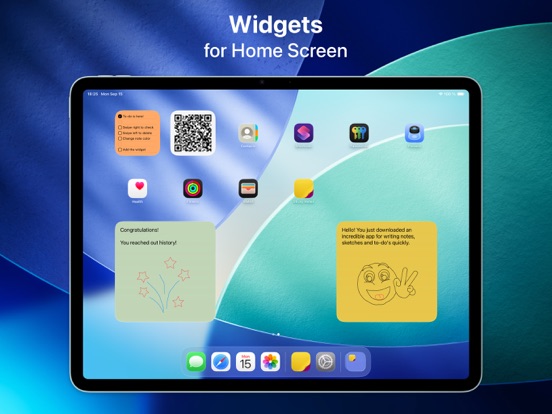
- Notification Center Widgets: Add small or large widgets to your Mac notification center or iOS home screen for at-a-glance reminders.
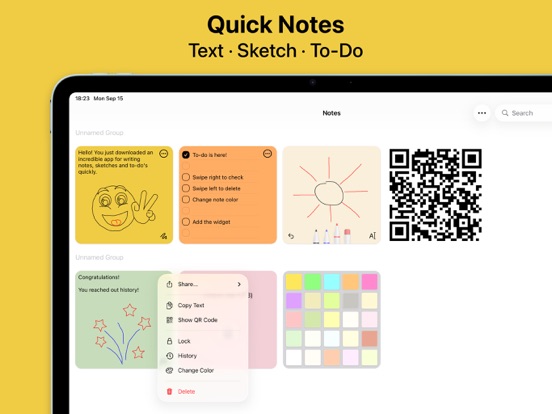
- Unlimited Canvas: Create as many virtual notes and structured to-do lists as your workflow demands without hitting any artificial limits.
Unlock Advanced Organization with Pro Features
For professionals requiring advanced document management, the premium upgrade transforms the Sticky Note Pad: Memo Stickies utility into a robust knowledge base:
- Rich Text & Custom Typography: Format your text with bold, italic, and underline styling. Structure your thoughts using numbered or dashed lists, and choose from 16 distinct fonts and adjustable text sizes.
- Visual Customization: Personalize your digital workspace by selecting from 25 vibrant background colors to categorize notes by priority or project.
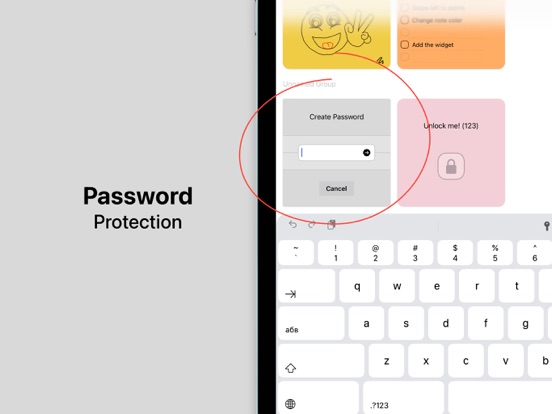
- Security & Privacy: Safeguard sensitive information or private credentials using password protection, FaceID, or TouchID.
- Creative Drawing: Draw directly over your text or sketch diagrams using red, blue, or black digital ink.
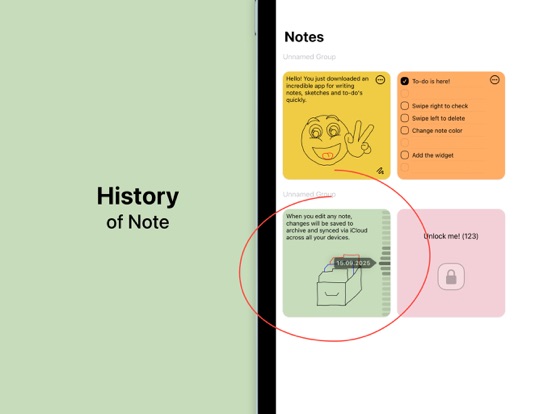
- Version History & QR Codes: Track changes with a complete history log to revert to previous drafts, or convert text notes into QR codes for rapid sharing.
Is This Desktop Organizer Right for You?
If you are a student tracking lecture points, a developer managing quick code snippets, or a creative professional organizing daily tasks, the Sticky Note Pad: Memo Stickies utility delivers a frictionless experience. It bridges the gap between chaotic brainstorming and structured task management, keeping your desktop clean and your mind focused.
Ready to upgrade your daily workflow? You can read more about this utility and explore its features by visiting the official App Store page today.
Rate the App
User Reviews














Popular Apps









Editor's Choice