
Latest Version
Johan ON4QZ
Education
Linux
Free
net.qsl.QSSTV
Report a Problem
More About QSSTV
An Open-Source Gateway to Amateur Radio Imaging
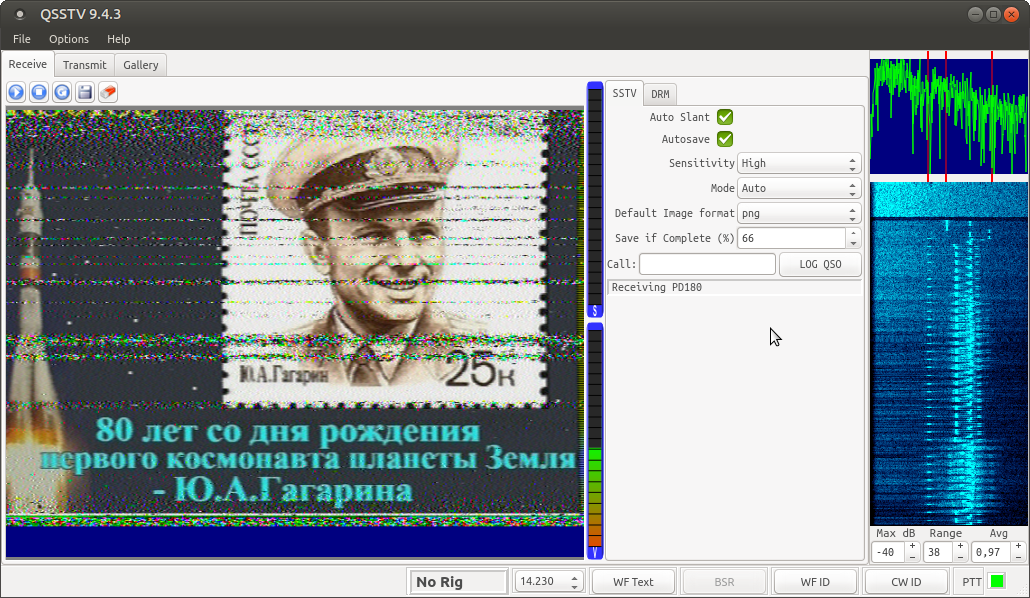
For amateur radio operators, sharing images across the airwaves is a unique and rewarding pursuit. The QSSTV SSTV and HAMDRM software stands out as a highly capable, open-source solution designed specifically for Linux users who want to receive and transmit Slow Scan Television (SSTV) and digital HAMDRM (often referred to as DSSTV) signals. Developed by Johan ON4QZ, this utility bridges the gap between traditional radio communications and modern visual media, providing a robust platform for hobbyists and educators alike.
Key Features of the QSSTV SSTV and HAMDRM Software
Unlike basic tools that only support a single standard, this application is engineered for versatility. Here are the core capabilities that make it a staple in the amateur radio community:
- Dual-Mode Functionality: Effortlessly switch between receiving and transmitting modes for both analog SSTV and digital HAMDRM formats.
- Broad Compatibility: The software maintains excellent compatibility with popular Windows-based alternatives like MMSSTV and EasyPal, ensuring you can communicate with a wide network of operators regardless of their operating system.
- Linux Native Performance: Built specifically for Linux, it offers stable performance and efficient resource management during long monitoring sessions.
- Educational Value: Classified under the educational category, it serves as an excellent practical tool for learning about signal processing, radio wave propagation, and digital modulation.
Who Is This Application For?
The QSSTV SSTV and HAMDRM software is tailored for licensed amateur radio operators, educators teaching telecommunications, and shortwave listening (SWL) enthusiasts. Whether you are aiming to receive weather satellite images or exchange custom graphics with other operators globally, the interface provides the technical depth required for precise calibration and signal tuning.
Getting Started with QSSTV
To begin, you will need a compatible Linux setup connected to your transceiver or a software-defined radio (SDR) receiver. Once configured, the software decodes incoming audio signals into clear images on your screen and encodes your chosen graphics into audio tones for transmission. To explore this powerful communication tool further or to add it to your Linux station, visit the official Flathub store page to access the application.
Rate the App
User Reviews









Popular Apps









Editor's Choice